
Introduction
Microsoft Outlook is a powerful email management application used by millions of individuals and organizations worldwide. It helps users manage emails, contacts, calendars, tasks, notes, and journals in a single platform. However, over time, Outlook mailboxes often become cluttered with duplicate items due to PST imports, synchronization errors, mailbox migrations, backup restorations, or accidental copying of folders. These duplicate entries consume valuable storage space and negatively impact Outlook performance.
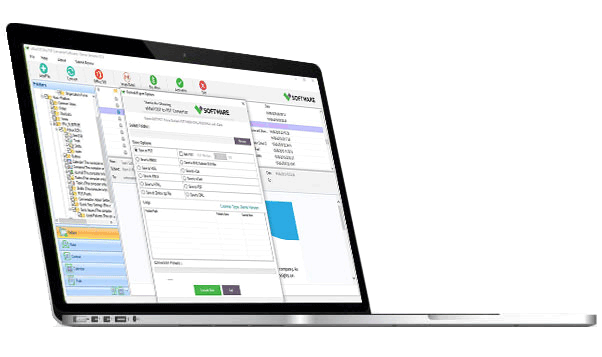
The VSPL Duplicate Outlook Mailbox Data Remover Tool is a reliable and efficient solution designed to identify and remove duplicate Outlook items from PST files. This advanced software helps users clean and optimize their Outlook mailboxes by eliminating duplicate emails, contacts, calendars, tasks, notes, and journal entries while preserving original data.
The free download version of the VSPL Duplicate Outlook Data Remover Tool allows users to evaluate its features and performance before purchasing the full version.
Why Remove Duplicate Outlook Data?
Duplicate Outlook items can create several problems for users and organizations. As duplicate data accumulates, Outlook becomes slower and less efficient.
Common issues caused by duplicate Outlook items include:
Increased PST file size
Slow Outlook performance
Confusing mailbox structure
Duplicate contacts and calendar events
Longer backup and restore times
Difficulty finding important emails
Reduced productivity
Manually removing duplicate items from large Outlook mailboxes can be a time-consuming task. The VSPL Duplicate Outlook Data Remover Tool automates this process and ensures accurate duplicate detection and removal.
What is VSPL Duplicate Outlook Data Remover Tool?
The VSPL Duplicate Outlook Data Remover Tool is a professional utility designed to scan Outlook PST files and remove duplicate mailbox items safely. The software uses advanced comparison algorithms to identify duplicate entries based on multiple parameters such as subject, sender, recipient, date, content, and attachments.
The tool helps users maintain an organized Outlook environment without risking data loss. It supports both ANSI and Unicode PST files and works with all major Outlook versions.
Key Features of VSPL Duplicate Outlook Data Remover Tool
Remove Duplicate Emails
The software thoroughly scans Outlook PST files and identifies duplicate email messages based on:
Subject line
Sender information
Recipient details
Sent and received dates
Email body content
Attachments
Users can remove redundant emails while keeping the original messages intact.
Delete Duplicate Contacts
Duplicate contacts often occur after synchronization or data migration processes. The tool helps users identify and remove duplicate contact entries, keeping the address book organized and easy to manage.
Remove Duplicate Calendar Entries
Repeated meetings and appointments can create scheduling confusion. The software removes duplicate calendar entries while preserving original event information.
Eliminate Duplicate Tasks
Duplicate Outlook tasks can lead to unnecessary workload tracking issues. The software effectively identifies and removes duplicate task items.
Remove Duplicate Notes and Journals
The VSPL tool also supports duplicate removal for Outlook notes and journal entries, helping users maintain a clutter-free mailbox.
Preview Duplicate Items
Before deletion, users can preview all detected duplicate items. This feature allows complete control over the cleanup process and minimizes the possibility of accidental data removal.
Support for Large PST Files
The software is capable of handling large PST files without performance degradation. This makes it suitable for both individual users and enterprise environments.
Preserve Folder Structure
The utility maintains the original Outlook folder hierarchy throughout the duplicate removal process, ensuring mailbox organization remains intact.
Benefits of Using the VSPL Duplicate Outlook Data Remover Tool
Improve Outlook Performance
Duplicate items increase mailbox size and can slow down Outlook operations. Removing duplicates improves overall performance, startup speed, and search efficiency.
Reduce PST File Size
Eliminating duplicate emails and other Outlook items helps reduce PST file size and optimize storage utilization.
Better Mailbox Organization
A mailbox free from duplicate entries is easier to navigate and manage. Users can quickly locate important emails, contacts, and appointments.
Save Time and Effort
Manual duplicate removal can be tedious and time-consuming. The VSPL tool automates the entire process and completes it within minutes.
Safe and Reliable Operation
The software ensures that only duplicate items are removed while preserving original Outlook data and folder structures.
Simple Steps to Remove Duplicate Outlook Data
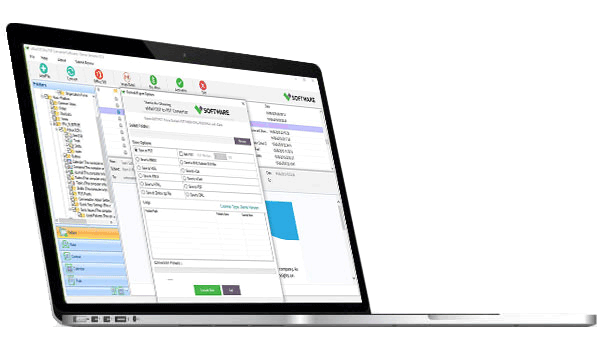
Using the VSPL Duplicate Outlook Data Remover Tool is straightforward and requires no technical expertise.
Step 1: Install the Software
Download and install the VSPL Duplicate Outlook Data Remover Tool on your Windows computer.
Step 2: Add PST File
Launch the application and browse to select the Outlook PST file that contains duplicate items.
Step 3: Choose Folders
Select specific folders or the entire mailbox for scanning.
Step 4: Configure Duplicate Criteria
Choose comparison parameters such as subject, sender, recipient, date, contacts, or attachments.
Step 5: Scan Outlook Data
The software performs a comprehensive scan and displays detected duplicate items.
Step 6: Preview Results
Review duplicate emails, contacts, calendars, and other items before deletion.
Step 7: Remove Duplicates
Click the remove option to delete duplicate entries and optimize your Outlook mailbox.
Free Download Version
The VSPL Duplicate Outlook Data Remover Tool offers a free trial version that enables users to evaluate the software before purchasing the licensed edition.
The free version allows users to:
Install and run the software
Scan Outlook PST files
Detect duplicate Outlook items
Preview duplicate emails and contacts
Evaluate software performance
This trial version helps users understand the software's functionality before making a purchase decision.
Supported Outlook Versions
The software supports all popular Microsoft Outlook editions, including:
Outlook 2021
Outlook 2019
Outlook 2016
Outlook 2013
Outlook 2010
Outlook 2007
Earlier Outlook versions
Both ANSI and Unicode PST file formats are fully supported.
Windows Compatibility
The VSPL Duplicate Outlook Data Remover Tool works seamlessly with modern Windows operating systems, including:
Windows 11
Windows 10
Windows 8.1
Windows 8
Windows 7
The software supports both 32-bit and 64-bit Windows platforms.
Who Should Use VSPL Duplicate Outlook Data Remover Tool?
Home Users
Personal Outlook users can remove duplicate emails and contacts to maintain an organized mailbox.
Business Professionals
Professionals handling large email volumes can improve productivity by eliminating redundant Outlook data.
IT Administrators
Administrators can clean Outlook mailboxes during migration, backup restoration, or maintenance projects.
Organizations
Businesses can optimize mailbox storage, improve Outlook performance, and reduce data management complexities.
Why Choose VSPL Duplicate Outlook Data Remover Tool?
VSPL has developed this software with a focus on accuracy, speed, and ease of use. Key reasons to choose this solution include:
Fast duplicate detection engine
Safe Outlook data cleanup
User-friendly interface
Support for all Outlook item types
Large PST file handling capability
Preview before deletion
Advanced filtering options
Secure data processing
Compatibility with all major Outlook versions
Free trial version available
These advantages make the software an excellent choice for Outlook mailbox optimization.
Duplicate Outlook items can negatively affect mailbox performance, storage efficiency, and overall productivity. The VSPL Free Download Duplicate Outlook Data Remover Tool offers a powerful and reliable solution for identifying and removing duplicate emails, contacts, calendars, tasks, notes, and journal entries from Outlook PST files.
With its advanced scanning technology, easy-to-use interface, preview functionality, and support for all major Outlook versions, the software helps users maintain a clean, organized, and efficient Outlook environment. Whether you are an individual user, business professional, or IT administrator, the VSPL Duplicate Outlook Data Remover Tool provides a dependable way to eliminate duplicate Outlook data and improve mailbox management.

Write a comment ...